Populating FHIR resources
In a FHIR facade implementation, populating FHIR resources is a critical step that involves mapping and transforming data from existing healthcare systems into standardized FHIR resources. This process ensures that the data is consistent, accurate, and accessible in a FHIR-compliant format, allowing for seamless interoperability between different healthcare applications.
Populating a FHIR resource in Ballerina is as straightforward as creating a simple record object. Developers need only import the appropriate FHIR package from Ballerina Central and then create a FHIR resource record as demonstrated below.
Step 1: Create the integration
Open WSO2 Integrator.
Select Create in the Create New Integration card.
Set Integration Name to
FHIRResourcePopulate.Set Project Name to
fhir-resource-populate.Select Create Integration.
Select Add Artifact and select Automation.
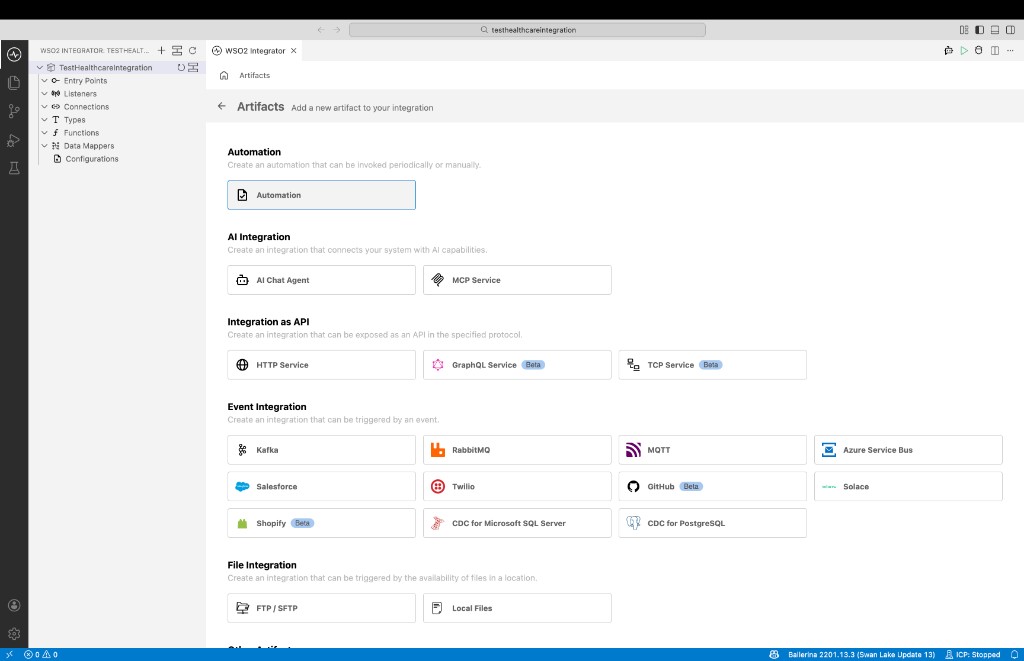
Step 2: Implement the flow to populate a FHIR resource
Import the required modules to the Ballerina program. In this sample we are using FHIR Patient resource from international base FHIR IG . Therefore, we need to import
ballerinax/health.fhir.r4.international401package. If you are using a different IG of FHIR, you can import the relevant package from the central or generated from the bal health tool.import ballerinax/health.fhir.r4.international401;
import ballerina/io;Create a custom patient record type to represent the patient data. In this sample, the patient record contains the patient's first name, last name, address, and phone number.
// A custom patient record.
type Patient record {
    string firstName;
    string lastName;
    string address;
    string phoneNumber;
};
Define a data mapping function to convert the patient record to a FHIR Patient resource. The function takes the custom patient record as input and returns an FHIR Patient resource. You can use the visual data mapper in ballerina to map the patient record fields to the FHIR Patient resource fields. You can follow the documentation on Visual Data Mapping to learn more about visual data mapping in Ballerina.
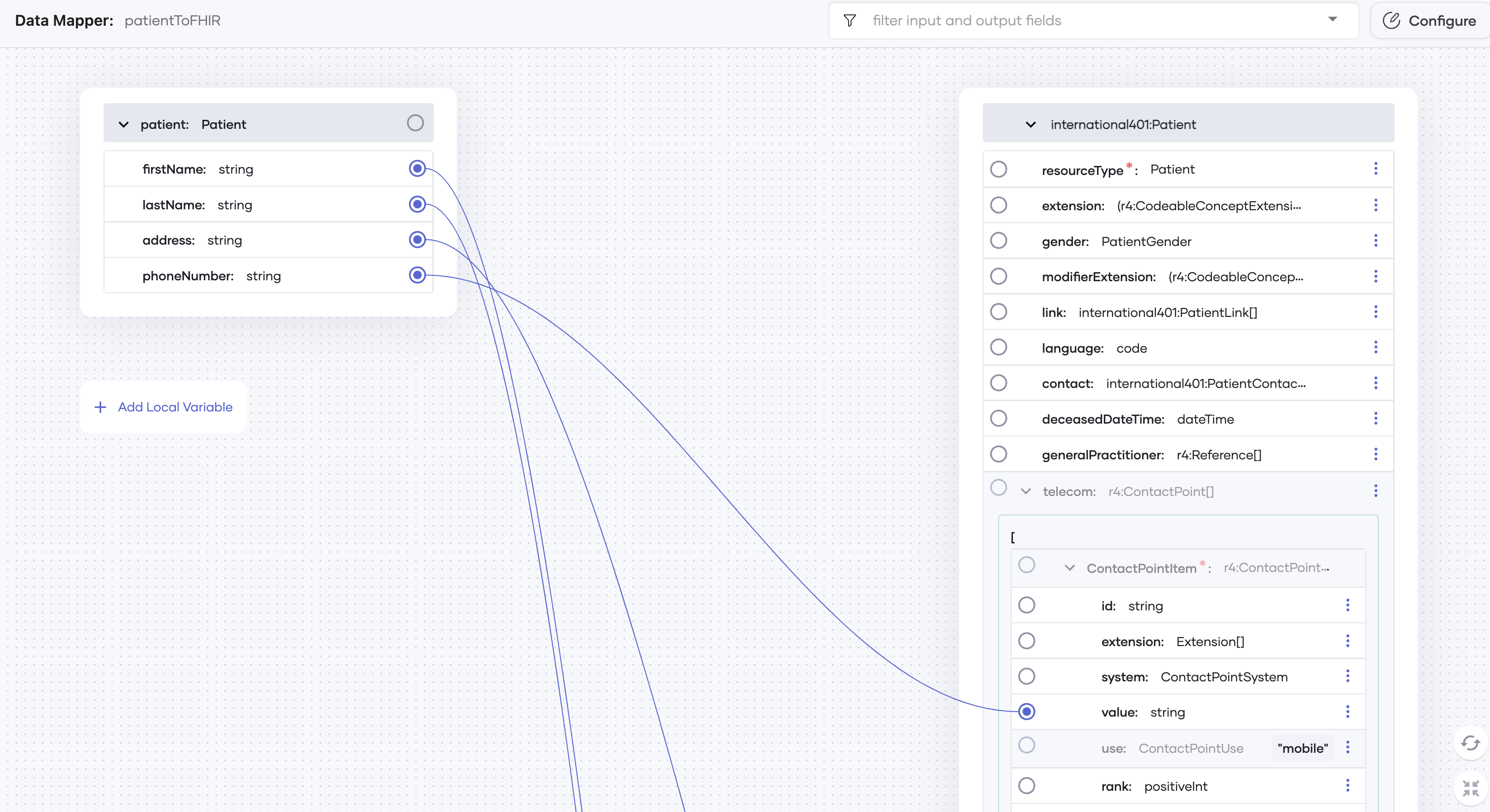
// Data mapping function to convert a patient record to an FHIR Patient resource.
function patientToFHIR(Patient patient) returns international401:Patient => {
    meta: {
        lastUpdated: time:utcToString(time:utcNow()),
        profile: [international401:PROFILE_BASE_PATIENT]
    },
    active: true,
    name: [
        {
            family: patient.lastName,
            given: [patient.firstName],
            use: international401:CODE_MODE_OFFICIAL,
            prefix: ["Mr"]
        }
    ],
    address: [
        {
            line: [patient.address],
            city: "New York",
            country: "United States",
            postalCode: "10022"
        }
    ],
    telecom: [
        {
            value: patient.phoneNumber,
            use: "mobile"
        }
    ]
};
Serialize the FHIR resource to a string using the
toString()function.The complete code sample will look as follows:
import ballerina/io;
import ballerina/time;
import ballerinax/health.fhir.r4.international401;

// A custom patient record.
type Patient record {
    string firstName;
    string lastName;
    string address;
    string phoneNumber;
};

public function main() returns error? {
    // Sample patient data
    Patient patient = {firstName: "John", lastName: "Doe", address: "123 Main St", phoneNumber: "555-555-5555"};
    international401:Patient patientResource = patientToFHIR(patient);
    io:println(patientResource.toString());
}

// Data mapping function to convert a patient record to an FHIR Patient resource.
function patientToFHIR(Patient patient) returns international401:Patient => {
    meta: {
        lastUpdated: time:utcToString(time:utcNow()),
        profile: [international401:PROFILE_BASE_PATIENT]
    },
    active: true,
    name: [
        {
            family: patient.lastName,
            given: [patient.firstName],
            use: international401:CODE_MODE_OFFICIAL,
            prefix: ["Mr"]
        }
    ],
    address: [
        {
            line: [patient.address],
            city: "New York",
            country: "United States",
            postalCode: "10022"
        }
    ],
    telecom: [
        {
            value: patient.phoneNumber,
            use: "mobile"
        }
    ]
};
Step 3: Run and test
Select Run.
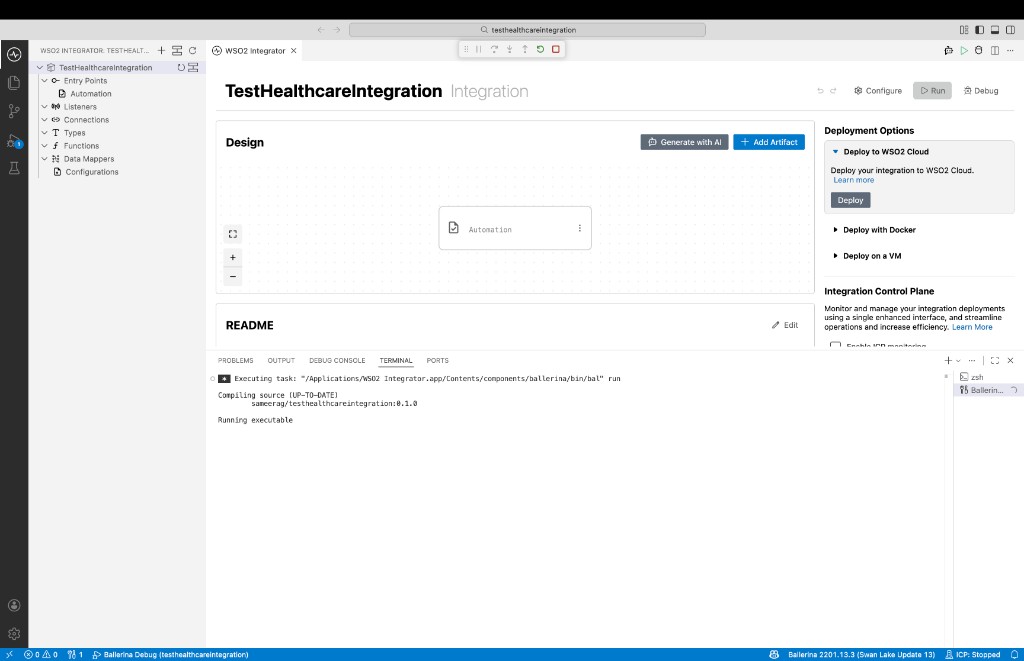
Check the terminal output to confirm the expected result.
In Ballerina, you can access built-in records [link to central] that support FHIR. These predefined records allow you to easily populate FHIR resources. With cardinality constraints and data validation rules embedded in the record definitions, the IDE provides guidance to ensure the complete and accurate population of FHIR resources. Additionally, records are available for commonly used implementation guides, incorporating specific extensions and constraints relevant to those areas.