Parsing and Serializing
For any FHIR server implementation, parsing and serializing are fundamental processes that enable seamless interaction with FHIR resources. Parsing involves converting incoming data, often in various formats, into structured FHIR resources that can be easily managed and processed within the integration flow.
Since Ballerina is designed specifically to address integration use cases, records defined in Ballerina can be easily converted to JSON wire format, with similar support for XML. This makes the parsing and serialization of FHIR resources straightforward and efficient.
Step 1: Create the integration
Open WSO2 Integrator.
Select Create in the Create New Integration card.
Set Integration Name to
FHIRParsingSample.Set Project Name to
fhir-parsing-sample.Select Create Integration.
Select Add Artifact and select Automation.
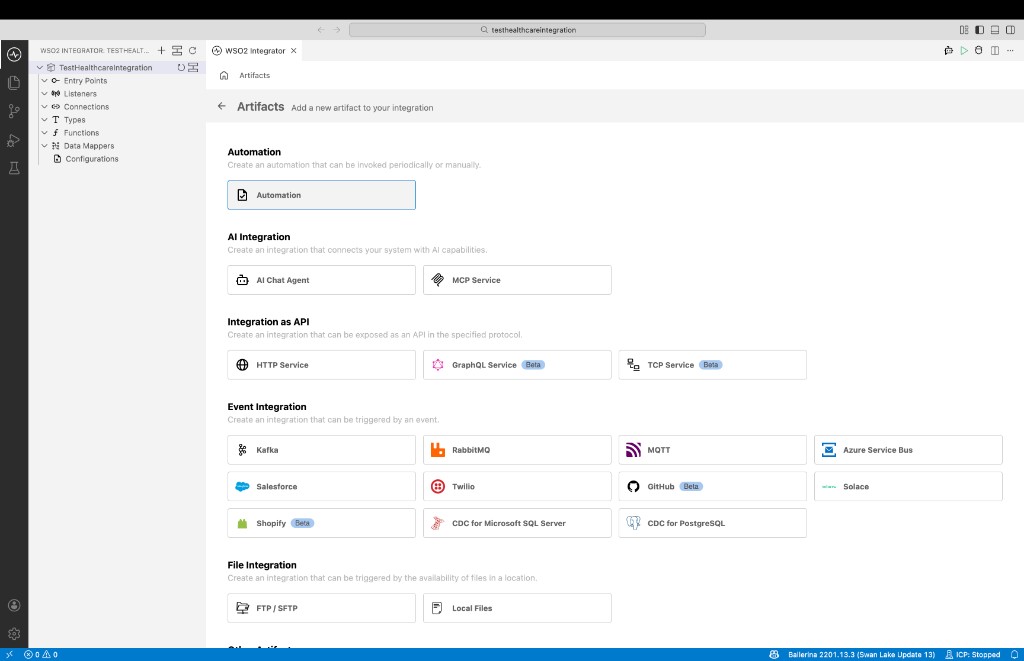
Step 2: Implement the flow to parse a FHIR resource
Import the required modules to the Ballerina program. In this sample we are using FHIR Patient resource from international base FHIR IG . Therefore, we need to import
ballerinax/health.fhir.r4.international401package. If you are using a different IG of FHIR, you can import the relevant package from the central or generated from the bal health tool.import ballerina/io;
import ballerinax/health.fhir.r4;
import ballerinax/health.fhir.r4.international401;
import ballerinax/health.fhir.r4.parser;Implement the logic to parse the FHIR resource. In this sample, we are parsing a sample FHIR json to FHIR Patient resource.
public function main() returns error? {
    // The following example is a simple serialized Patient resource to parse
    json input = {
        "resourceType": "Patient",
        "name": [
            {
                "family": "Simpson"
            }
        ]
    };

    // Parse it - you can pass the input (as a string or a json) and the
    // type of the resource you want to parse.
    international401:Patient patient = check parser:parse(input).ensureType();

    // Access the parsed data
    r4:HumanName[]? names = patient.name;
    if names is () || names.length() == 0 {
        return error("Failed to parse the names");
    }
    io:println("Family Name: ", names[0]);
}
Completed sample will look like below.
import ballerina/io;
import ballerinax/health.fhir.r4 as fhir;
import ballerinax/health.fhir.r4.international401;
import ballerinax/health.fhir.r4.parser as fhirParser;

public function main() returns error? {
    // The following example is a simple serialized Patient resource to parse
    json input = {
        "resourceType": "Patient",
        "name": [
            {
                "family": "Simpson"
            }
        ]
    };

    // Parse it - you can pass the input (as a string or a json) and the
    // type of the resource you want to parse.
    international401:Patient patient = check fhirParser:parse(input).ensureType();

    // Access the parsed data
    fhir:HumanName[]? names = patient.name;
    if names is () || names.length() == 0 {
        return error("Failed to parse the names");
    }
    io:println("Family Name: ", names[0]);
}
Step 3: Run and test
Select Run.
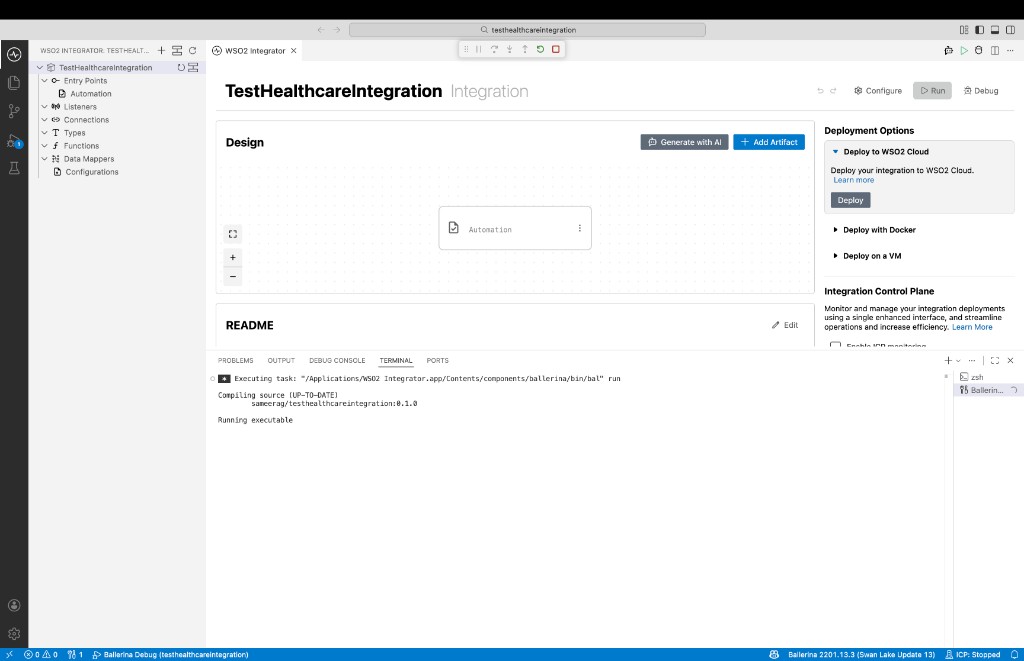
Check the terminal output to confirm the expected result.
???+ note To achieve full FHIR server capabilities, you can leverage the Ballerina FHIR R4 service, which provides a comprehensive suite of features including header validation, search parameter resolution, and various other essential FHIR server functionalities. This service simplifies the implementation of a complete FHIR server, ensuring that all necessary components are in place to handle FHIR requests efficiently and in compliance with the standard.