Parsing and Serializing HL7 Messages
This guide explains how to parse and serialize HL7 messages using the WSO2 Open Healthcare. The WSO2 Open Healthcare provides a set of built-in capabilities to parse and serialize HL7 messages using a user-friendly graphical tooling. The tooling allows you to parse HL7 messages and extract message fields using visual data mapping features.
Ballerina
Parse HL7 messages
The following example demonstrates how to parse an HL7v2 ADT_A01 message using Ballerina. The example defines a custom patient record and a data mapping function to extract the patient record from an ADT_A01 message.
Step 1: Create the integration
Open WSO2 Integrator.
Select Create in the Create New Integration card.
Set Integration Name to
HL7MessageParse.Set Project Name to
hl7-message-parse.Select Create Integration.
Select Add Artifact and select Automation.
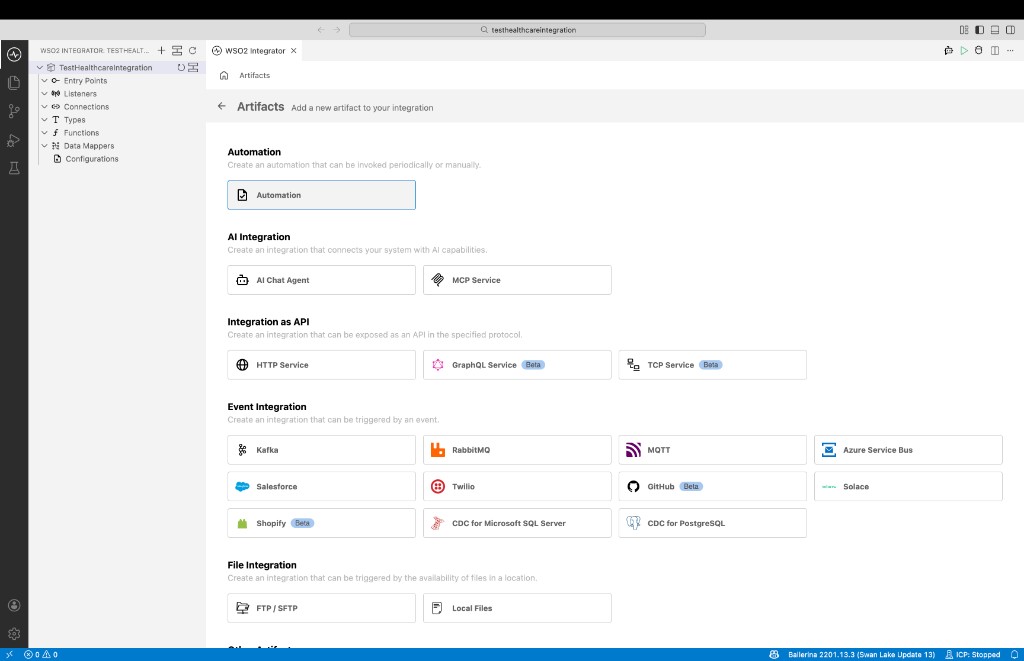
Step 2: Implement the flow to parse HL7 messages
Import the required modules and implement the Ballerina program. In this sample, we are using ADT_A01 message from HL7v2.3 version. Therefore, we need to import
ballerinax/health.hl7v23package. If you are using a different version of HL7, you can import the relevant package. You need to use parse function fromballerinax/health.hl7v2package to parse the HL7 message.import ballerina/io;
import ballerinax/health.hl7v2 as hl7;
import ballerinax/health.hl7v23 as hl7v23;
// The following example is a simple serialized HL v2.3 ADT A01 message.
final string msg = "MSH|^~\\&|ADT1|GOOD HEALTH HOSPITAL|GHH LAB, INC.|GOOD HEALTH HOSPITAL|" +
"198808181126|SECURITY|ADT^A01^ADT_A01|MSG00001|P|2.3||\rEVN|A01|200708181123||" +
"\rPID|1||PATID1234^5^M11^ADT1^MR^GOOD HEALTH HOSPITAL~123456789^^^USSSA^SS||" +
"BATMAN^ADAM^A^III||19610615|M||C|2222 HOME STREET^^GREENSBORO^NC^27401-1020|GL|" +
"(555) 555-2004|(555)555-2004||S||PATID12345001^2^M10^ADT1^AN^A|444333333|987654^NC|" +
"\rNK1|1|NUCLEAR^NELDA^W|SPO^SPOUSE||||NK^NEXT OF KIN$\rPV1|1|I|2000^2012^01||||" +
"004777^ATTEND^AARON^A|||SUR||||ADM|A0|";
public function main() returns error? {
// This message, ADT^A01 is an HL7 data type consisting of several components, so we
// will cast it as such. The ADT_A01 class extends from Message, providing specialized
// accessors for ADT^A01's segments.
//
// Ballerina HL7 provides several versions of the ADT_A01 record type, each in a
// different package (note the import statement above) corresponding to the HL7
// version for the message.
hl7v23:ADT_A01 adtMsg = check hl7:parse(msg).ensureType(hl7v23:ADT_A01);
// Access the fields of the ADT_A01 message.
hl7v23:XPN[] patientName = adtMsg.pid.pid5;
io:println("Family Name: ", patientName[0].xpn1);
}
Step 3: Run and test
Select Run.
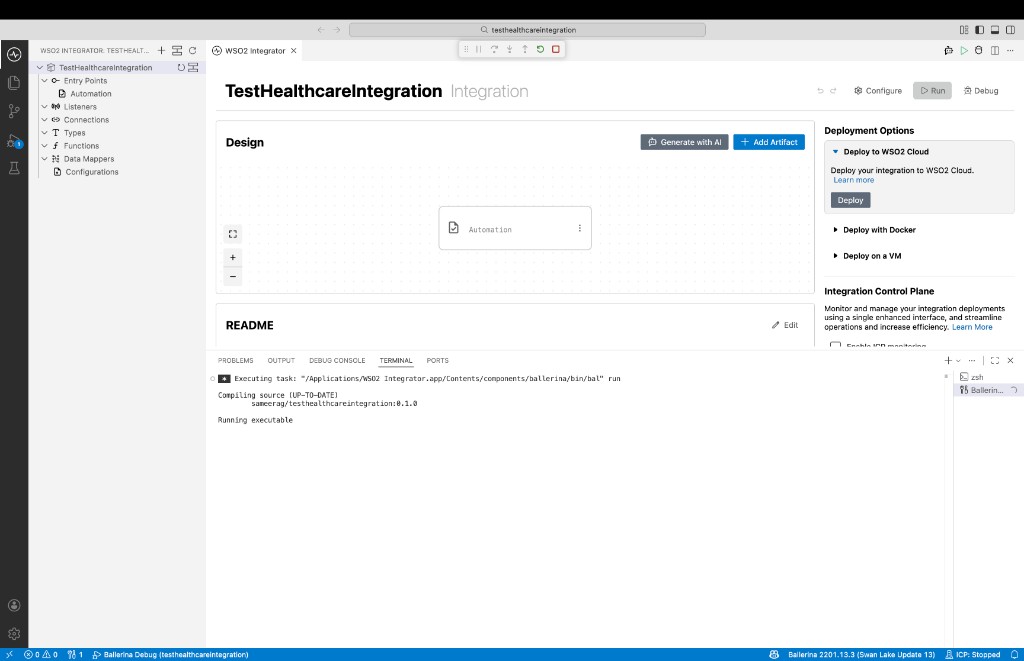
Check the terminal output to confirm the expected result.
Serialize HL7 messages
The following example demonstrates how to serialize (encode) an HL7v2 QRY_A19 message using Ballerina.
Step 1: Create the integration
Open WSO2 Integrator.
Select Create in the Create New Integration card.
Set Integration Name to
HL7MessageSerialize.Set Project Name to
hl7-message-serialize.Select Create Integration.
Select Add Artifact and select Automation.
Step 2: Implement the flow to serialize HL7 messages
Import the required modules and implement the Ballerina program. In this sample we will be populating a QRY_A19 message from HL7v2.3 and serializing it to the wire format.
import ballerinax/health.hl7v2;
import ballerinax/health.hl7v23;
import ballerina/io;

public function main() returns error? {
    hl7v23:QRY_A19 qry_a19 = {
        msh: {
            msh3: {hd1: "ADT1"},
            msh4: {hd1: "MCM"},
            msh5: {hd1: "LABADT"},
            msh6: {hd1: "MCM"},
            msh8: "SECURITY",
            msh9: {cm_msg1: "QRY", cm_msg2: "A19"},
            msh10: "MSG00001",
            msh11: {pt1: "P"},
            msh12: "2.3"
        },
        qrd: {
            qrd1: {ts1: "20220828104856+0000"},
            qrd2: "R",
            qrd3: "I",
            qrd4: "QueryID01",
            qrd7: {cq1: "5"},
            qrd8: [{xcn1: "1", xcn2: "ADAM", xcn3: "EVERMAN"}],
            qrd9: [{ce1: "VXI"}],
            qrd10: [{ce1: "SIIS"}]
        }
    };
    // Serialize the QRY_A19 message to a byte array using the encode function. You can use the encoded message to
    // send over the wire to a HL7 server.
    byte[] encodedQRYA19 = check hl7v2:encode(hl7v23:VERSION, qry_a19);
    // Print the encoded string
    io:println(string `Encoded string:  ${check string:fromBytes(encodedQRYA19)}`);
}
Step 3: Run and test
Select Run.
Check the terminal output to confirm the expected result.