Implement a HL7 Server Listener
This guide explains how to implement a HL7 server listener using the WSO2 Open Healthcare. The HL7 server listener listens for HL7 messages on a specified port and processes the messages. The HL7 server listener is a key component in the healthcare integration process, as it allows you to receive HL7 messages from external systems and process them according to your requirements.
Ballerina
The following example demonstrates how to implement a HL7 server listener using Ballerina. The example defines a HL7 server listener that listens for HL7 messages on a specified port and processes the messages.
Step 1: Create the integration
Open WSO2 Integrator.
Select Create in the Create New Integration card.
Set Integration Name to
HL7ServerListener.Set Project Name to
hl7-server-listener.Select Create Integration.
Select Add Artifact and select TCP Service under Integration as API.
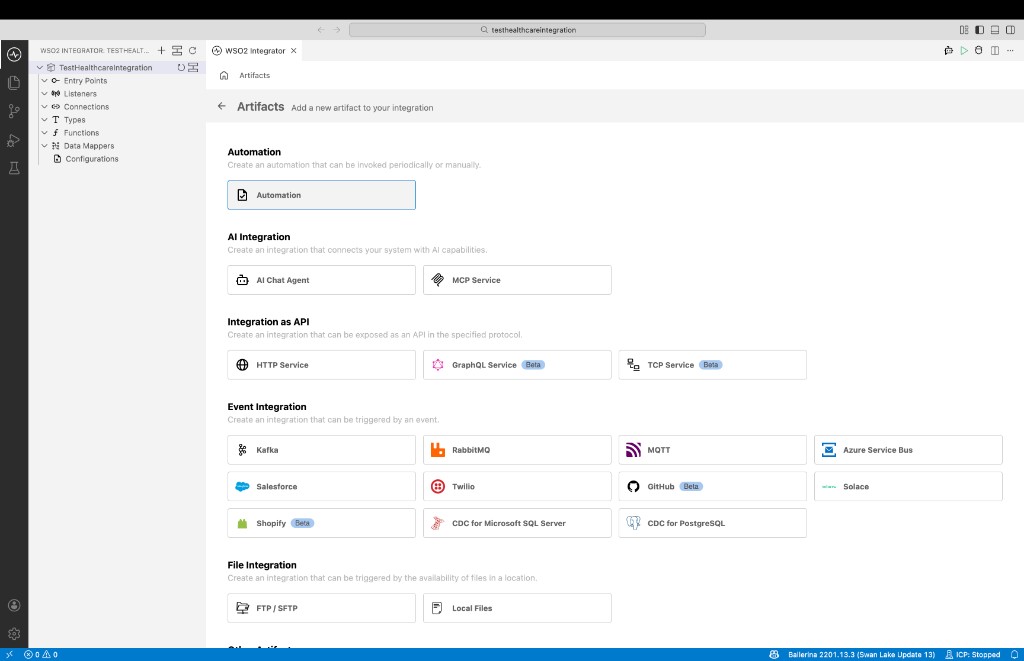
Step 2: Implement the HL7 server listener
Import the required modules to the Ballerina program and implement the logic to create a HL7 server listener. In this sample, we are using the HL7v2.3 version. Therefore, we need to import the
ballerinax/health.hl7v23package. If you are using a different version of HL7, you can import the relevant package. Then the HL7 server listener is created and started to listen for HL7 messages on the specified port.import ballerina/io;
import ballerina/tcp;
import ballerinax/health.hl7v2;
import ballerinax/health.hl7v23;
service on new tcp:Listener(3000) {
remote function onConnect(tcp:Caller caller) returns tcp:ConnectionService {
io:println("Client connected to HL7 server: ", caller.remotePort.toString());
return new HL7ServiceConnectionService();
}
}
service class HL7ServiceConnectionService {
*tcp:ConnectionService;
remote function onBytes(tcp:Caller caller, readonly & byte[] data) returns tcp:Error? {
string|error fromBytes = string:fromBytes(data);
if fromBytes is string {
io:println("Received HL7 Message: ", fromBytes);
}
// Note: When you know the message type you can directly get it parsed.
hl7v23:ADT_A01|error parsedMsg = hl7v2:parse(data).ensureType(hl7v23:ADT_A01);
if parsedMsg is error {
return error(string `Error occurred while parsing the received message: ${parsedMsg.message()}`,
parsedMsg);
}
io:println(string `Parsed HL7 message: ${parsedMsg.toJsonString()}`);
}
remote function onError(tcp:Error err) {
io:println(string `An error occurred while receiving HL7 message: ${err.message()}. Stack trace: `,
err.stackTrace());
}
remote function onClose() {
io:println("Client left");
}
}Select Run and test.
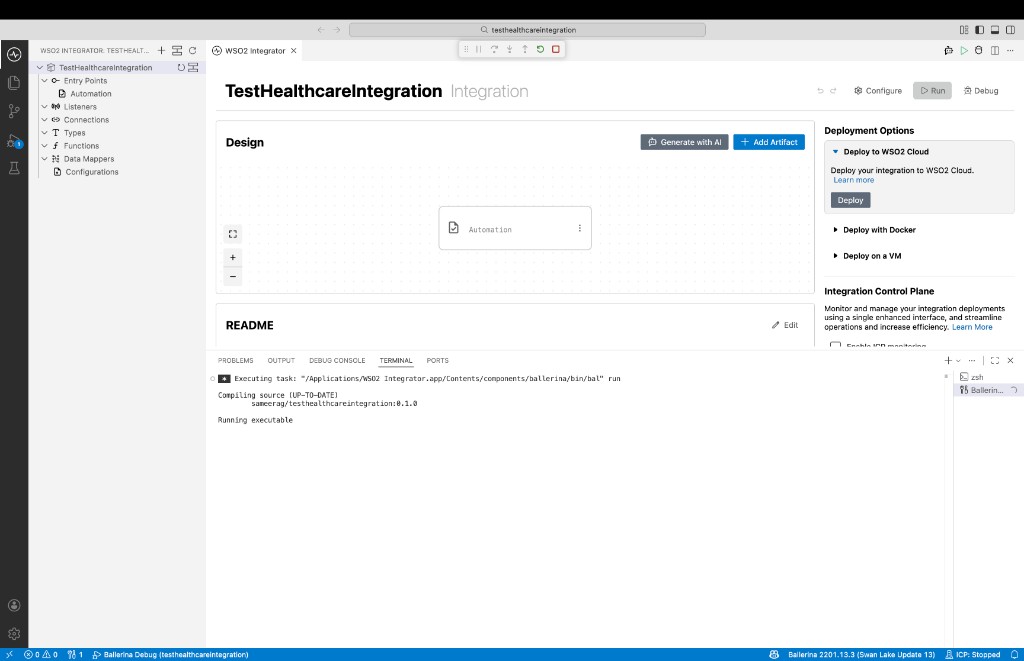
Check the terminal output to confirm the expected result.