Terminology Validation
Terminology validation ensures that coded elements in FHIR resources use values from the correct code systems and value sets. This is critical for semantic interoperability between systems.
Overview
FHIR profiles define terminology bindings that specify which value sets are allowed for coded elements. Binding strengths determine how strictly these must be enforced:
| Binding Strength | Enforcement |
|---|---|
| Required | Must use a code from the specified value set |
| Extensible | Should use a code from the value set; other codes allowed if no suitable match |
| Preferred | Recommended but not enforced |
| Example | Illustrative only, not enforced |
Prerequisites
Terminology validation requires a running FHIR R4 terminology service. The WSO2 Healthcare Accelerator includes a pre-built terminology service that you can use. See the Terminology Service setup guide for instructions on running the service.
Enabling Terminology Validation
To enable terminology validation, add the following configuration to your Config.toml file, pointing to your running terminology service:
[ballerinax.health.fhir.r4.parser.terminologyConfig]
isTerminologyValidationEnabled=true
terminologyServiceApi="http://localhost:9089/fhir/r4"
tokenUrl=""
clientId=""
clientSecret=""
Configuration Parameters
isTerminologyValidationEnabled-- Set totrueto enable terminology validation.terminologyServiceApi-- The endpoint of your FHIR R4 terminology service. The pre-built terminology service runs athttp://localhost:9089/fhir/r4by default.tokenUrl-- (Optional) The OAuth2 token endpoint URL if your terminology service requires authentication.clientId-- (Optional) The OAuth2 client ID.clientSecret-- (Optional) The OAuth2 client secret.
Once enabled, the parser will validate terminology bindings using the configured terminology service during resource parsing and validation.
Sample: Validating with Terminology
The following example extends the base validation sample to include terminology validation. The Patient resource below contains a coded identifier.type element -- with terminology validation enabled, the validator will also check that the code MR is valid in the http://hl7.org/fhir/v2/0203 system.
- Create the integration.
1. Open WSO2 Integrator.
2. Select **Create** in the **Create New Integration** card.
3. Set **Integration Name** to `TerminologyValidation`.
4. Set **Project Name** to `terminology-validation`.
5. Select **Create Integration**.
6. Select **Add Artifact** and select **Automation**.
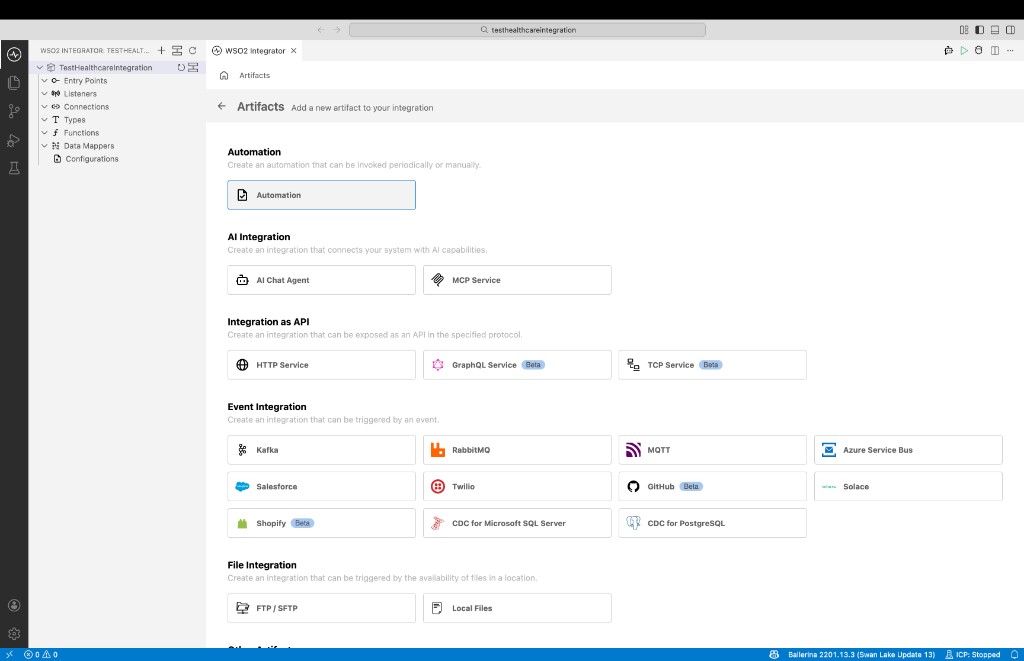
Add the
Config.tomlfile to the project root with the terminology service configuration:[ballerinax.health.fhir.r4.parser.terminologyConfig]
isTerminologyValidationEnabled=true
terminologyServiceApi="http://localhost:9089/fhir/r4"
tokenUrl=""
clientId=""
clientSecret=""In the
main.balfile, implement the validation logic:import ballerina/io;
import ballerinax/health.fhir.r4;
import ballerinax/health.fhir.r4.validator;
public function main() returns error? {
json body = {
"resourceType": "Patient",
"id": "591841",
"meta": {
"versionId": "1",
"lastUpdated": "2020-01-22T05:30:13.137+00:00",
"source": "#KO38Q3spgrJoP5fa"
},
"identifier": [ {
"type": {
"coding": [ {
"system": "http://hl7.org/fhir/v2/0203",
"code": "MR"
} ]
},
"value": "18e5fd39-7444-4b30-91d4-57226deb2c78"
} ],
"name": [ {
"family": "Cushing",
"given": [ "Caleb" ]
} ],
"birthDate": "2000-01-01"
};
r4:FHIRValidationError? validateFHIRResourceJson = validator:validate(body);
if validateFHIRResourceJson is r4:FHIRValidationError {
io:print(validateFHIRResourceJson);
} else {
io:println("Validation passed (including terminology checks).");
}
}Select Run and test.
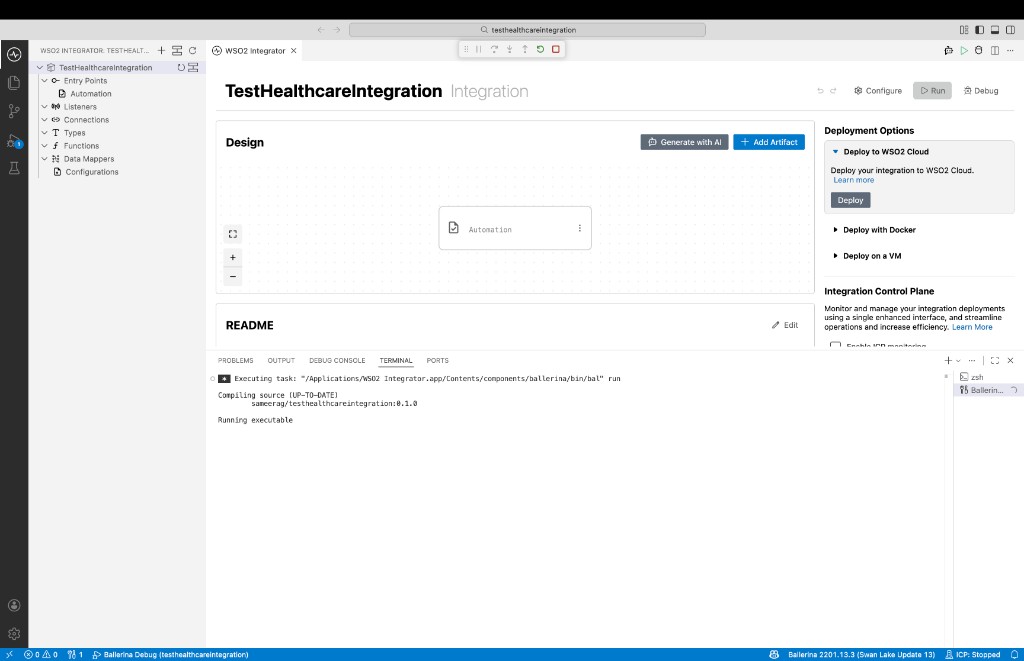
Check the terminal output. With terminology validation enabled, the validator will check both the structural constraints and the terminology bindings against the configured terminology service.
Standard Code Systems
Common code systems used in FHIR:
| Code System | URI | Use |
|---|---|---|
| LOINC | http://loinc.org | Lab observations, clinical measurements |
| SNOMED CT | http://snomed.info/sct | Clinical findings, procedures |
| ICD-10-CM | http://hl7.org/fhir/sid/icd-10-cm | Diagnoses |
| RxNorm | http://www.nlm.nih.gov/research/umls/rxnorm | Medications |
| CPT | http://www.ama-assn.org/go/cpt | Procedures |
| UCUM | http://unitsofmeasure.org | Units of measure |