Bulk Data Export
The FHIR Bulk Data Access IG defines an asynchronous pattern for exporting large datasets. The ballerinax/health.clients.fhir connector supports kick-off, status polling, and retrieval of exported file manifests through bulkExport, bulkStatus, and waitForBulkExportCompletion.
Use this guide when connecting to an external FHIR server from a Ballerina integration. For implementing $export on a generated FHIR facade, see Operations Overview.
Overview
Bulk export in the FHIR client follows these steps:
- Configure
bulkExportConfigon theFHIRConnectorConfig. - Call
bulkExport()to start a system-, patient-, or group-level export. - Poll progress with
bulkStatus()using theexportIdorContent-LocationURL from the kick-off response. - Optionally call
waitForBulkExportCompletion()to block until background download completes (when using local file storage).
The connector sends the kick-off request with Prefer: respond-async and polls the FHIR server in the background. When export completes, downloaded files are stored according to your bulkExportConfig (local filesystem, FTP, or FHIR server).
Step 1: Create the integration
Follow Step 1: Create the integration in the Using FHIR Connector guide. For this sample, use these values:
- Integration Name:
FHIRBulkExport - Project Name:
fhir-bulk-export
Step 2: Implement bulk export logic
Select the Automation artifact you created in Step 1.
Open the Source view.
Copy the source below and paste it into the editor, replacing the default content.
import ballerina/http;
import ballerinax/health.clients.fhir;

fhir:BulkExportConfig bulkExportConfig = {
    fileServerType: fhir:LOCAL,
    tempDirectory: "temp_bulk_export",
    tempFileExpiryTime: 7200.0,
    pollingInterval: 2.0
};

fhir:FHIRConnectorConfig fhirServerConfig = {
    baseURL: "https://bulk-data.smarthealthit.org/fhir",
    mimeType: fhir:FHIR_JSON,
    bulkExportConfig: bulkExportConfig
};

fhir:FHIRConnector fhirConnector = check new (fhirServerConfig, enableCapabilityStatementValidation = false);

service /Patient on new http:Listener(8080) {

    resource function get export() returns http:Response|error? {
        fhir:FHIRResponse response = check fhirConnector->bulkExport(fhir:EXPORT_PATIENT);
        json responseBody = response.'resource.toJson();

        http:Response httpResponse = new;
        httpResponse.statusCode = response.httpStatusCode;
        httpResponse.setJsonPayload({
            exportId: check responseBody.exportId,
            pollingUrl: check responseBody.pollingUrl
        });
        string? progress = response.serverResponseHeaders["X-Progress"];
        if progress is string {
            httpResponse.setHeader("X-Progress", progress);
        }
        return httpResponse;
    }

    resource function get [string exportId]/status() returns http:Response|error? {
        fhir:FHIRResponse response = check fhirConnector->bulkStatus(exportId = exportId);

        http:Response httpResponse = new;
        httpResponse.statusCode = response.httpStatusCode;
        httpResponse.setJsonPayload(response.'resource);
        string? progress = response.serverResponseHeaders["X-Progress"];
        if progress is string {
            httpResponse.setHeader("X-Progress", progress);
        }
        return httpResponse;
    }
}
bulkExport and bulkStatus require bulkExportConfig in the connector configuration. Without it, the connector returns a configuration error.
Step 3: Run and test
Select Run.
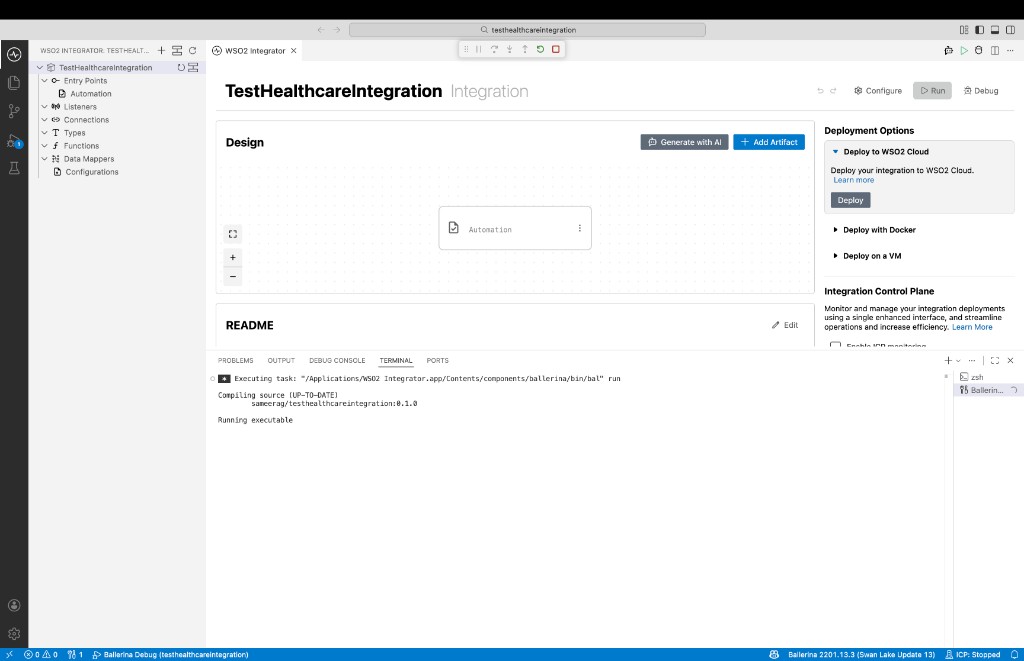
Invoke
GET http://localhost:8080/Patient/exportto start a patient-level bulk export. The response includesexportIdandpollingUrl.Poll export status with
GET http://localhost:8080/Patient/{exportId}/status, replacing{exportId}with the value from the kick-off response.
Bulk export configuration
Configure bulkExportConfig on FHIRConnectorConfig as shown in Step 2. The following fields are available:
BulkExportConfig fields
| Field | Description | Default |
|---|---|---|
fileServerType | Where exported files are stored: fhir:LOCAL, fhir:FTP, or fhir:FHIR | LOCAL |
fileServerUrl | Base URL of the file server (required for FTP; used for URL rewriting) | "" |
fileServerDirectory | Target directory on the FTP server | "" |
fileServerPort | FTP port | 21 |
fileServerUsername | FTP username | "" |
fileServerPassword | FTP password | "" |
tempDirectory | Local directory for exported files when fileServerType is LOCAL | bulk_export |
tempFileExpiryTime | Expiry time for local export files (seconds) | 86400 |
pollingInterval | Interval between background status polls (seconds) | 2.0 |
FTP example
fhir:BulkExportConfig bulkExportConfig = {
    fileServerType: fhir:FTP,
    fileServerUrl: "ftp.example.org",
    fileServerPort: 21,
    fileServerUsername: "user",
    fileServerPassword: "password",
    fileServerDirectory: "/exports",
    pollingInterval: 2.0
};
Start a bulk export (bulkExport)
Use bulkExport() to submit a kick-off request. Specify the export level with BulkExportLevel:
| Level | Enum value | FHIR endpoint pattern |
|---|---|---|
| System | fhir:EXPORT_SYSTEM | GET [base]/$export |
| Patient | fhir:EXPORT_PATIENT | GET [base]/Patient/$export |
| Group | fhir:EXPORT_GROUP | GET [base]/Group/{groupId}/$export |
For group export, pass the group id as the second argument.
Optional export parameters map to FHIR bulk export query parameters:
| Parameter | Description |
|---|---|
_outputFormat | Output format (default: application/fhir+ndjson) |
_since | Include only resources updated on or after this instant |
_type | Resource types to include (array of strings) |
_typeFilter | Search URLs to filter exported resources (array of strings) |
Examples
System-level export:
fhir:FHIRResponse|fhir:FHIRError response =
    fhirConnector->bulkExport(fhir:EXPORT_SYSTEM);
Patient-level export:
fhir:FHIRResponse|fhir:FHIRError response =
    fhirConnector->bulkExport(fhir:EXPORT_PATIENT);
Group-level export:
fhir:FHIRResponse|fhir:FHIRError response =
    fhirConnector->bulkExport(fhir:EXPORT_GROUP, "123");
Export with parameters:
fhir:FHIRResponse|fhir:FHIRError response = fhirConnector->bulkExport(
    fhir:EXPORT_SYSTEM,
    bulkExportParameters: {
        _since: "2017-01-01T00:00:00Z",
        _type: ["Patient", "Observation"]
    }
);
Kick-off response
A successful kick-off returns HTTP 202 Accepted. The FHIRResponse includes:
| Field | Description |
|---|---|
httpStatusCode | Typically 202 |
'resource | JSON with exportId, pollingUrl, status, and bulkExportResponse |
serverResponseHeaders | Includes Content-Location and exportId |
Example response body:
{
  "exportId": "a1b2c3d4-e5f6-7890-abcd-ef1234567890",
  "pollingUrl": "https://bulk-data.smarthealthit.org/fhir/$export-poll-status?_jobId=abc123",
  "status": { }
}
Check export status (bulkStatus)
Poll export progress using either:
exportId— the id returned in the kick-off response (recommended when using local storage), orcontentLocation— theContent-Locationheader URL from the kick-off response
// Poll by export ID
fhir:FHIRResponse|fhir:FHIRError response =
    fhirConnector->bulkStatus(exportId = "a1b2c3d4-e5f6-7890-abcd-ef1234567890");

// Poll by Content-Location URL
fhir:FHIRResponse|fhir:FHIRError response =
    fhirConnector->bulkStatus(contentLocation = "https://example.org/fhir/$export-poll-status?_jobId=abc123");
Status responses
| HTTP status | Meaning |
|---|---|
202 | Export still in progress. Check serverResponseHeaders["X-Progress"] for progress text. |
200 | Export complete. 'resource contains the export manifest with output file URLs. |
When complete, the response body follows the bulk data manifest format with an output array of exported files:
{
  "transactionTime": "2024-01-15T10:30:00.000Z",
  "request": "https://bulk-data.smarthealthit.org/fhir/Patient/$export",
  "requiresAccessToken": false,
  "output": [
    {
      "type": "Patient",
      "url": "https://example.org/export/Patient-001.ndjson"
    }
  ]
}
Wait for completion (waitForBulkExportCompletion)
When fileServerType is LOCAL, the connector downloads export files in the background. Use waitForBulkExportCompletion() to block until downloads finish:
public function main() returns error? {
    fhir:FHIRResponse kickoff = check fhirConnector->bulkExport(fhir:EXPORT_PATIENT);
    json body = kickoff.'resource.toJson();
    string exportId = check body.exportId;

    fhir:waitForBulkExportCompletion(exportId);

    fhir:FHIRResponse|fhir:FHIRError manifest =
        fhirConnector->bulkStatus(exportId = exportId);
    // Process manifest.'resource
}